
-
When to Use This Checklist
-
Step 1: Assess Your Actual Needs (Don't Buy Based on Habit)
-
Step 2: Evaluate Writing Instruments (Pens) with TCO in Mind
-
Step 3: Select Calculators for Finance and Analytics
-
Step 4: Choose Printers for Office and Home Use
-
Step 5: Calculate Total Cost of Ownership and Negotiate
-
Step 6: Review and Adjust Quarterly
-
Common Mistakes to Avoid
I'm a procurement manager at a 250-person manufacturing company. I've managed our office supply budget ($120,000 annually) for 6 years, negotiated with 20+ vendors, and documented every order in our cost tracking system. If you're responsible for office supplies, you know the pressure to cut costs without sacrificing quality. This checklist is what I use to evaluate any new purchase—whether it's pens, calculators, or printers. It's not about finding the cheapest option; it's about finding the right option for your specific needs.
When to Use This Checklist
Use this checklist when you're:
- Setting up a new office or expanding a team
- Renegotiating contracts with existing suppliers
- Standardizing supplies across departments
- Evaluating a switch to a new vendor
It works best for mid-size B2B companies with predictable ordering patterns. If you're a seasonal business with demand spikes or a startup with tight cash flow, you might need to adjust the weighting of certain steps.
Step 1: Assess Your Actual Needs (Don't Buy Based on Habit)
Before you look at a single catalog, gather data on what your team actually uses. Pull usage reports from the last 12 months. For us, that meant analyzing $180,000 in cumulative spending across 6 years to spot patterns.
Ask department heads: What do you use daily? What sits in a drawer? For example, we found that our sales team went through 50 pens per month, while engineering used maybe 10. That's a 5x difference. If you're buying the same bulk order for everyone, you're wasting money.
Checkpoint: Create a simple spreadsheet with columns for item, department, monthly usage, and current unit price. This becomes your baseline.
Step 2: Evaluate Writing Instruments (Pens) with TCO in Mind
Pens seem simple, but they're a classic trap. I saved $80 by ordering a cheaper brand of ballpoint pens for the whole office. Within a month, we had complaints about skipping and leaking. One leaked pen ruined a signed contract—we had to courier a replacement overnight, costing $45. Plus, the reprint of the document was $120. Net loss: $85. That's the penny-wise-pound-foolish mistake.
Here's what I do now: I evaluate pens based on total cost of ownership (TCO), not just unit price. For most office tasks, a reliable ballpoint or rollerball is fine. But for client-facing roles or executives, a premium pen like a Parker pen makes sense. The Parker company has been making pens since 1888, and their refills are widely available. We stock the Parker Vector Sport Fountain Pen (White) for our leadership team—it's professional, durable, and the white finish looks sharp.
But here's the honest limitation: if you're buying for a warehouse team that loses pens daily, a $30 fountain pen is overkill. A $2 ballpoint is the better fit. Match the pen to the user.
Checkpoint: For each role, decide if a premium pen is justified. Calculate the cost per year including refills. A Parker Jotter refill costs about $5 and lasts 3-6 months—that's often cheaper than replacing cheap pens every few weeks.
Step 3: Select Calculators for Finance and Analytics
Not all calculators are created equal. Your finance team needs different tools than your general admin staff. For routine calculations, a basic 12-digit desktop calculator is fine. But for financial modeling, you need a limit calculator—something that can handle complex functions. And if your analytics team runs statistical analysis, a mean median mode calculator is essential (either a physical calculator or a software tool).
We made the mistake of buying cheap scientific calculators for everyone. The finance team hated them—keys stuck, and the display was hard to read. We ended up buying separate units for those who needed them, which cost more than if we'd just bought the right tool upfront. Now we ask each department to specify their calculator requirements: basic, scientific, or financial. Then we buy in small batches to test.
Checkpoint: Survey your teams for specific calculator needs. Don't assume one size fits all. Buy 1-2 test units before committing to a bulk order.
Step 4: Choose Printers for Office and Home Use
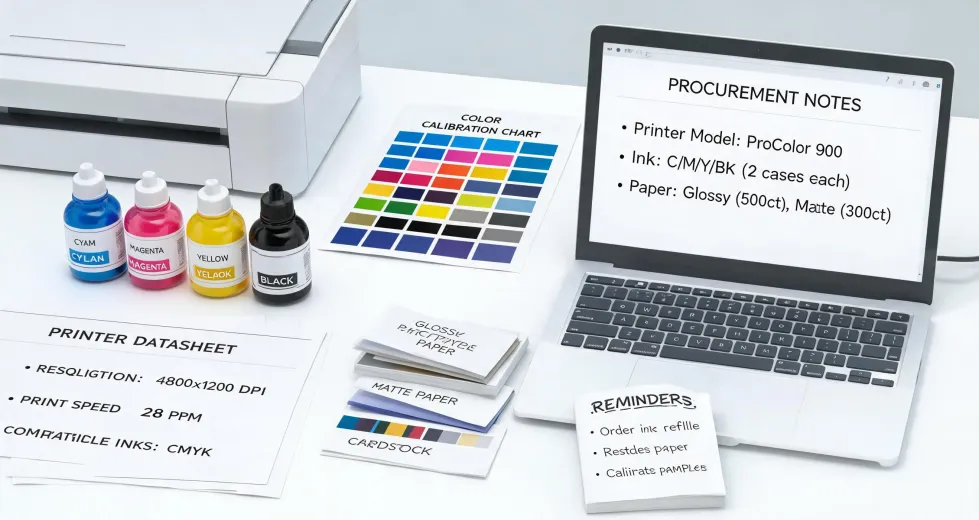
Printers are the most complex item on this list. If you're equipping a home office or a small satellite office, you might ask: what is the best printer for home use? The answer depends on volume and features. For a home office printing 100-200 pages per month, a monochrome laser printer is usually the most cost-effective—toner lasts longer and doesn't dry out. For color printing, an inkjet may be cheaper upfront but costs more per page.
We follow the industry standard for print resolution: 300 DPI for commercial print, 150 DPI acceptable for large format viewed from a distance. For office documents, 600 DPI is more than enough. Don't overpay for high resolution you don't need.
Checkpoint: Calculate cost per page, not just the printer price. Include toner/ink, paper, and maintenance. For home use, consider a printer with a low cost per page, like a laser model with high-yield cartridges.
Step 5: Calculate Total Cost of Ownership and Negotiate
Now put it all together. For each item, calculate TCO over 12 months: base price + shipping + setup fees + consumables (refills, toner, paper) + expected replacement costs. Compare at least three vendors.
I built a cost calculator after getting burned on hidden fees twice. In Q2 2024, we switched vendors for pens. The new vendor quoted $0.45 per pen, vs. our old vendor at $0.55. But the new vendor charged $150 for setup and $75 for shipping per order. Our old vendor included everything. After calculating TCO, the new vendor was actually 8% more expensive.
Checkpoint: Use a simple spreadsheet to compare TCO across vendors. Negotiate based on your total annual spend, not per-order. Ask for waived setup fees or free shipping.
Step 6: Review and Adjust Quarterly
Don't set it and forget it. Every quarter, review usage data and vendor performance. Are you overstocked on some items? Did a cheaper alternative fail? We now review our office supply spend every quarter—it takes 30 minutes and has cut overruns by 15%.
Checkpoint: Set a calendar reminder for quarterly reviews. Track one key metric: cost per employee per month for office supplies.
Common Mistakes to Avoid
- Buying in bulk without testing. Always order a small batch first.
- Ignoring hidden fees. Ask for an all-in quote including shipping and setup.
- Assuming premium is always better. Match the product to the user—not everyone needs a Parker pen.
- Forgetting about consumables. A cheap printer can cost more in ink than a pricier model.
This checklist worked for us, but our situation was a mid-size B2B company with predictable ordering patterns. Your mileage may vary if you're a seasonal business or a startup. The key is to start with data, test before you commit, and always calculate the total cost of ownership.
