
-
Why I Stopped Looking for a "One-Size-Fits-All" Post-it Strategy
-
Scene 1: Small Teams (Under 20 People)—Buy Standard, Skip the Printer
-
Scene 2: Mid-Size Offices (20-200 People)—Custom Printer Templates Pay Off
-
Scene 3: Large or Multi-Location Offices (200+ People)—Standardize and Centralize
-
How to Figure Out Which Scene You're In
-
The Questions I Get That Have Nothing to Do with Procurement
-
Bottom Line: Prevention Beats Correction
Why I Stopped Looking for a "One-Size-Fits-All" Post-it Strategy
I've managed our office supply budget for six years. In 2023, I audited $47,000 in cumulative spending across more than 150 vendor transactions. What I found was uncomfortable: roughly 18% of our Post-it-related purchases were duplicates, wrong-format orders, or items that never got opened.
Not because anyone was careless. Because we never defined what "right" looked like for our office.
Here's the thing about Post-it products: the brand covers everything from standard notes to printer templates to file tabs, and each one solves a different problem. Asking "which Post-it setup is best" is like asking "which tool is best." Depends entirely on what you're building.
So I stopped searching for a universal answer. Instead, I broke our needs into three scenarios. If you manage office procurement, you probably fit one of them.
Scene 1: Small Teams (Under 20 People)—Buy Standard, Skip the Printer
If you're buying for a team of 15, custom-printed Post-it templates are almost certainly a waste of money. I've watched small offices order 500 custom-printed notes to "save time on meeting agendas." They used maybe 60. The rest sat in a drawer until the adhesive dried out.
What works at this scale: standard Post-it notes in two or three sizes, plus pre-cut file tabs for whatever filing system you actually use. Keep it simple.
Here's the counterintuitive part: match the product to the use case, not the sticker price. For notes that get repositioned daily—status boards, Kanban cards, shared reference sheets—we've found that Post-it Super Sticky holds up through more re-sticks in our environment than the economy options we tested in Q1 2024. But for one-time labeling or short-lived notes? The cheapest option on the shelf is fine. The prevention mindset isn't "always buy premium." It's "don't use the wrong tool for the job, then pay twice."
For file tabs at this scale, standard Post-it file tabs handle light filing without drama. If you're tabbing documents that get pulled and re-filed weekly, the heavier-duty version costs a few dollars more per pack and saves you from re-tabbing entire binders. I learned that one the hard way in 2022, after a client audit prep session where half our tabs had lost adhesion. We re-tabbed 14 binders in one afternoon. Not a good use of anyone's time.
Scene 2: Mid-Size Offices (20-200 People)—Custom Printer Templates Pay Off
This is where a Post-it printer template starts making sense. When you have 40+ people using inconsistent note formats, standardization saves real time. We print custom templates for project standups, client call logs, and inventory counts.
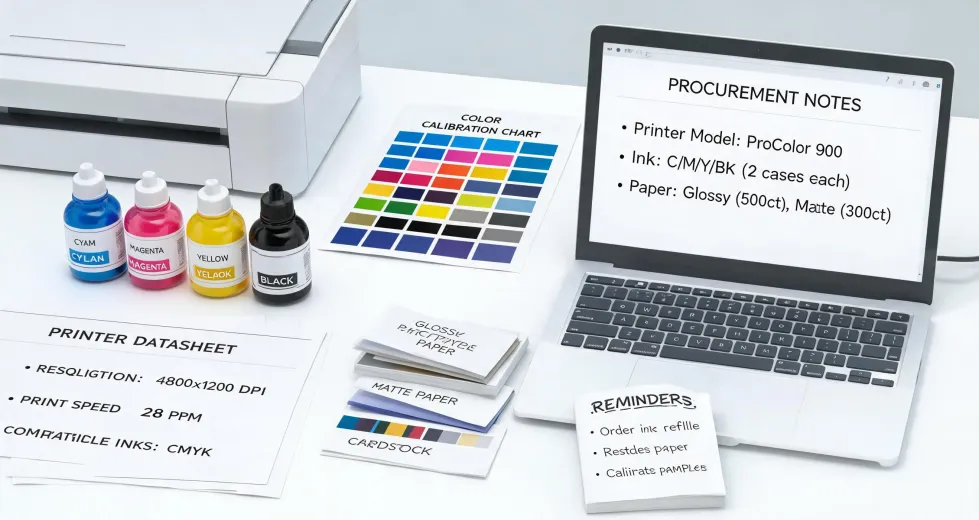
A word of warning about the printing side: your template is only as good as your printer alignment. We run Epson WorkForce units. After two frustrating weeks of misaligned prints, I learned that you need the correct Epson printer drivers installed—not the generic ones your operating system auto-installs. The difference was about 3mm of drift on every sheet. Doesn't sound like much until your 3×3 grid is off-center on 500 notes.
The "custom printing is always more expensive" belief comes from an era when pre-printed specialty notes didn't exist in the formats most offices needed. That's changed. Once the drivers were right, the math worked: we print roughly 400 custom Post-it templates per quarter at about $0.14 each (paper plus ink), versus $0.28–$0.35 for equivalent pre-printed specialty notes. That's roughly $340 saved annually on this line item alone. Not huge. But it compounds.
For Post-it file tabs at this scale, standardize on one or two formats. We use two sizes—one for active project binders, one for archive boxes. Mixing formats sounds flexible. In practice, it creates confusion when someone grabs the wrong tab and the whole filing system drifts.
Scene 3: Large or Multi-Location Offices (200+ People)—Standardize and Centralize
At this scale, the challenge isn't choosing products. It's preventing 12 office managers from buying 12 different solutions. We consolidated Post-it purchasing under a single vendor agreement in 2023. Before that, we had four locations ordering independently, and I found seven different file tab formats in active use.
The fix wasn't complicated: one approved product list, one quarterly order cycle, one point of contact. We cut Post-it-related spending by 11% in the first year. Not through discounts—through eliminating duplicate orders and wrong-format purchases.
If you're at this scale, custom printed templates are worth it only if you can enforce usage. Otherwise, you'll print 2,000 branded templates and watch half of them get used for grocery lists. Trust me on this one.
How to Figure Out Which Scene You're In
Answer these three questions honestly:
1. How many people actually use sticky notes daily? Under 10, you're Scene 1. Between 10 and 50, Scene 2. Over 50, Scene 3.
2. Do you have a printer that handles small-format sheets without jamming? If not, skip custom templates entirely. The frustration isn't worth it, and no amount of template savings compensates for a printer that eats every third sheet.
3. Has anyone complained about filing consistency in the last six months? If yes, you need a standardized Post-it file tab system more than you need custom templates. Fix the foundation before you decorate the walls.
One more data point: if your office spends under $2,000 annually on Post-it products, you're almost certainly in Scene 1. The ROI on customization doesn't kick in until you're buying at volume. This is based on our own tracking, so your mileage may vary—but the threshold held across our three locations in 2024.
The Questions I Get That Have Nothing to Do with Procurement
Working in procurement means people assume you know about anything vaguely related to "office stuff." Last month, someone in marketing asked me if acrylic paint is safe for skin—they wanted to use it for a team-building craft project. I'm not a safety specialist, so I can't speak to dermatological risks. What I can tell you is that our internal event planning checklist now requires a safety data sheet review for any art materials, and that policy came from legal, not me.
Same week, another colleague asked whether we could expense an AP score calculator for their kid's school project. I had to explain that our procurement system doesn't cover personal education expenses—and that I genuinely don't know how AP scoring works. That's outside my lane.
Why am I mentioning this? Because knowing what you don't know is part of doing procurement well. I can tell you which Post-it file tabs hold up under daily use. I can't tell you if acrylic paint belongs on skin or how an AP score calculator crunch the numbers. Pretending otherwise would be worse than saying "I don't know."
Bottom Line: Prevention Beats Correction
Every scenario above comes down to the same principle: five minutes of planning beats five days of rework. The small office that buys the right standard products avoids duplicate orders. The mid-size office that gets its Epson printer drivers right avoids 500 misaligned templates. The large office that standardizes avoids seven incompatible filing systems.
None of this is glamorous. But after six years of tracking invoices, I can tell you that the offices which get the boring details right spend less—and complain less—than the ones chasing the lowest unit price on every order.
If you're not sure where to start, audit your last three months of Post-it purchases. Count how many were duplicates, wrong-format, or never opened. That number will tell you more about your scene than any guide—including this one.